Your cart is currently empty!

Roof By Points: Shape Revit Roofs to Point Cloud Levels
Shape a footprint roof so that it follows the levels measured on the scan, for falls, ponding and uneven flat roofs.
Export Ref Points: Copy Shape Points from Floors, Roofs and Topography in Revit
Turn the shape points of a floor, roof or toposolid into ZetaRefPoints, so the same shape can be applied to another element.
Placing Ref Point: Put Reference Points on a Point Cloud in Revit
Click the scan and a ZetaRefPoint is placed exactly on the point cloud, in any view, ready for Floor, Roof and Topo By Points.
Color Mode PCL: Change Point Cloud Colors in Revit in One Click
Switch every point cloud in the view to Elevation, Single Color, Intensity, RGB or Normals with one click.
Show/Hide PCL: Hide Point Clouds in Revit with One Click
Turn every point cloud in the current view off and on with one button, or a keyboard shortcut.
Rename Types: Rename All Family Types in Revit by Their Size
Rename every type of a family in one go from a pattern such as {Width}x{Height}mm, in mm, m or feet-inches.

Cleanup ZetaBIM Data: Remove Helper Data from Your Revit Project
See everything ZetaBIM tools have created in the project and delete what you no longer need before you hand the model over.
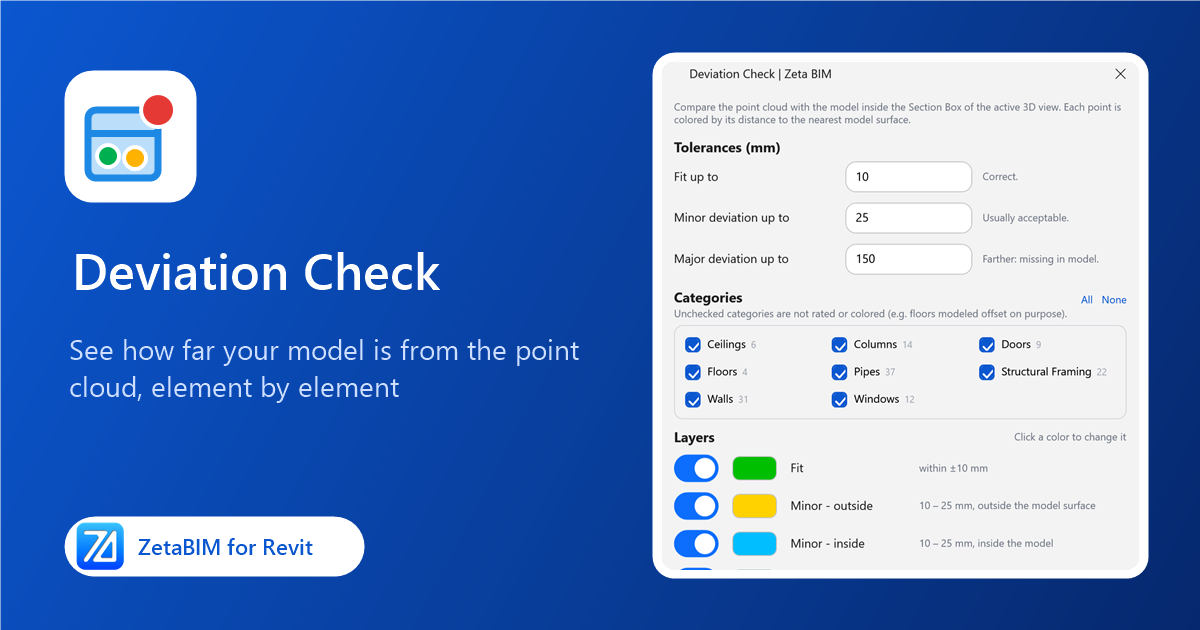
Deviation Check: Compare Your Revit Model with the Point Cloud
Color every scan point by how far it is from the model, see which elements are off and by how much, and check fixes live.
Floor By Points: Shape Revit Floors to Point Cloud Levels
Shape a floor so that it passes through ZetaRefPoints measured on the point cloud.
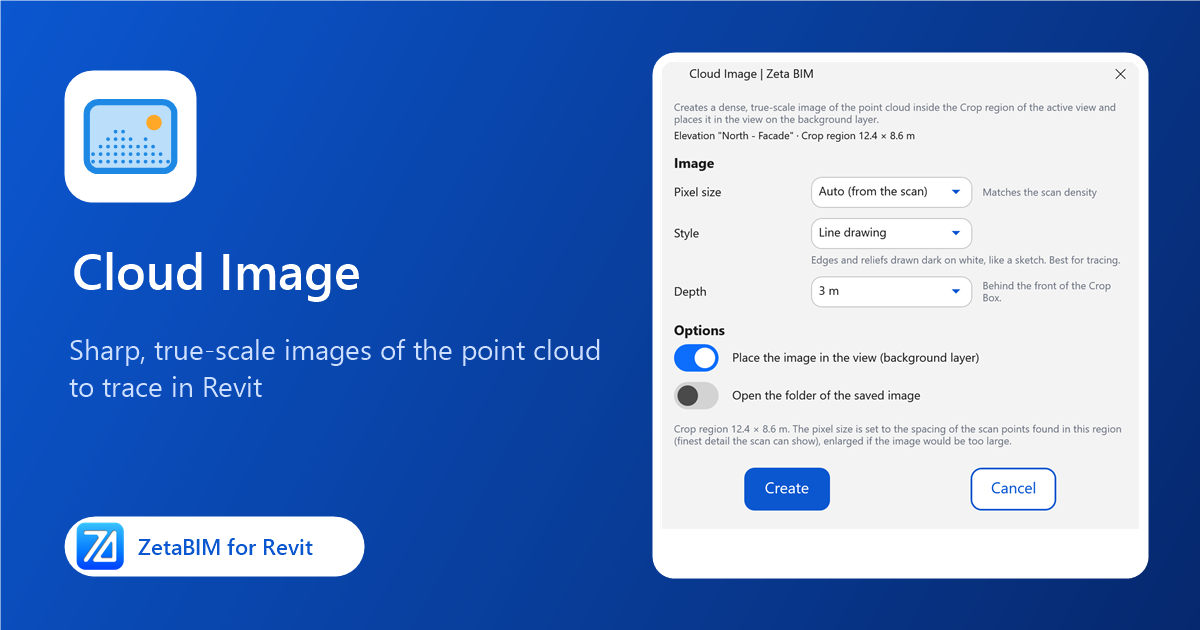
Cloud Image: Turn a Point Cloud View into a Sharp, True-Scale Image in Revit
Create a dense, true-scale image of the point cloud for a plan, elevation or section and place it in the view as a tracing background.