Your cart is currently empty!
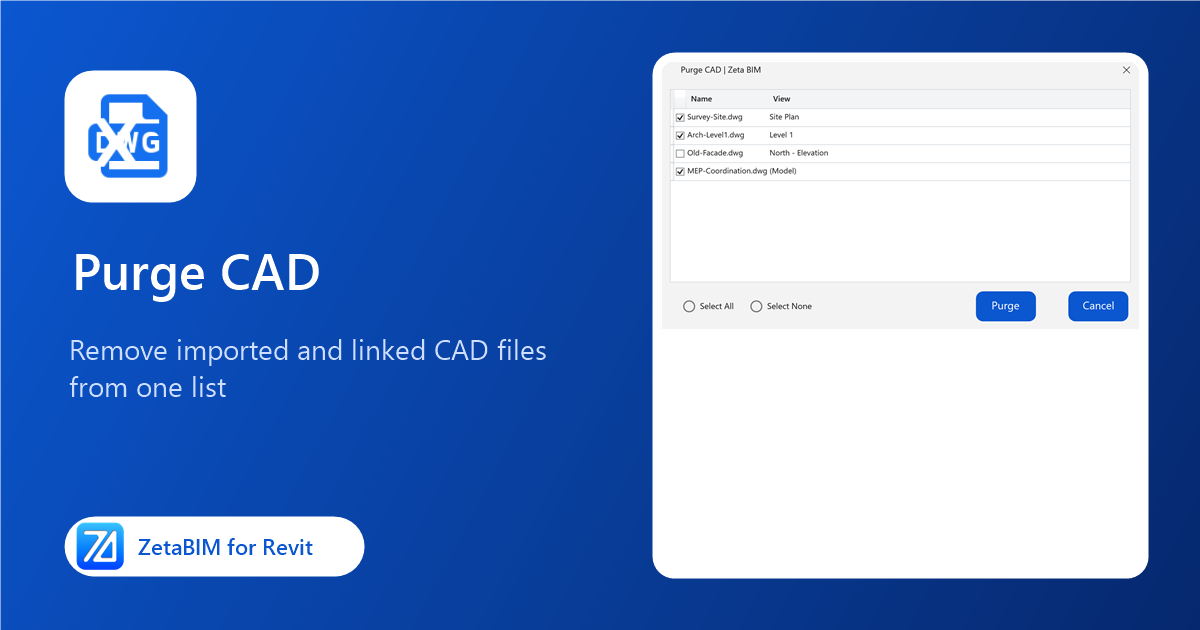
Purge CAD: Remove Imported and Linked CAD Files from Revit
See every imported and linked CAD file with the view it sits in, tick the ones you no longer need and remove them in one go.
Model Check: Track Revit Model Issues with Your Team
Capture a view, mark up the problem, assign it to a teammate and follow it until it is fixed and verified, all inside Revit.
Fit MEP: Model Pipes, Ducts, Cable Trays and Conduits from a Point Cloud
Click a pipe, duct, cable tray or conduit in the scan and Fit MEP creates it with the fitted size and position.
Fit Structure: Model Beams and Columns from a Point Cloud in Revit
Click a beam or a column in the scan and Fit Structure creates it at the measured size, with a matching type.
Roof By Points: Shape Revit Roofs to Point Cloud Levels
Shape a footprint roof so that it follows the levels measured on the scan, for falls, ponding and uneven flat roofs.
Export Ref Points: Copy Shape Points from Floors, Roofs and Topography in Revit
Turn the shape points of a floor, roof or toposolid into ZetaRefPoints, so the same shape can be applied to another element.
Placing Ref Point: Put Reference Points on a Point Cloud in Revit
Click the scan and a ZetaRefPoint is placed exactly on the point cloud, in any view, ready for Floor, Roof and Topo By Points.
Color Mode PCL: Change Point Cloud Colors in Revit in One Click
Switch every point cloud in the view to Elevation, Single Color, Intensity, RGB or Normals with one click.
Show/Hide PCL: Hide Point Clouds in Revit with One Click
Turn every point cloud in the current view off and on with one button, or a keyboard shortcut.
Rename Types: Rename All Family Types in Revit by Their Size
Rename every type of a family in one go from a pattern such as {Width}x{Height}mm, in mm, m or feet-inches.