Your cart is currently empty!

Revit Point Cloud to Topography: Topo By Points Guide
Measure the ground from the scan and turn it into a toposolid (Revit 2024+) or a topography surface (Revit 2021–2023).
Material Face: Copy Surface Material Names in Revit with One Click
Pick a face and its material name is copied to the clipboard, ready to paste into a search, a schedule filter or Filter Material.
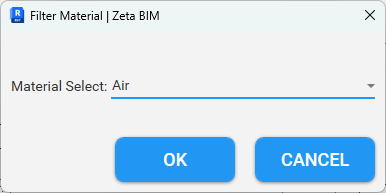
Filter Material: Select Revit Elements by Material
Select a group of elements, choose a material, and only the elements that use it stay selected. Includes to find unassigned materials.

Optimizing Computed Points: Refine Calculate Surface Results in Revit
Practical steps to check and refine the points from Calculate Surface before you shape a floor, roof or toposolid.

Show/Hide CAD in Revit with One Click
Turn all imported and linked CAD in the current view on or off with one button, or a keyboard shortcut.